Mirage 404 Heatmap & Logs
The smart way to find and diagnose broken links on your WordPress site.
Thank you for choosing Mirage 404! This plugin is designed to give you a clear, actionable overview of your site's "Page Not Found" errors, helping you improve user experience and protect your SEO.
Broken links (404 errors) are more than just an annoyance; they're dead ends for your visitors and red flags for search engines. This plugin provides an all-in-one solution to not only find these broken links but to understand their impact with our unique interactive heatmap.
Installation
From your WordPress Dashboard
- Navigate to Plugins > Add New.
- Search for "Mirage 404 Heatmap & Logs".
- Click Install Now, then Activate.
- That's it! You'll now see a new "Mirage 404" menu item. The plugin starts logging errors immediately.
Manual Installation
- Download the plugin's
.zipfile from WordPress.org. - Navigate to Plugins > Add New in your dashboard.
- Click the Upload Plugin button.
- Choose the downloaded
.zipfile and click Install Now, then Activate.
Features (Free Version)
The free version of Mirage 404 provides powerful tools to help you identify and diagnose every broken link on your site.
Interactive 404 Heatmap
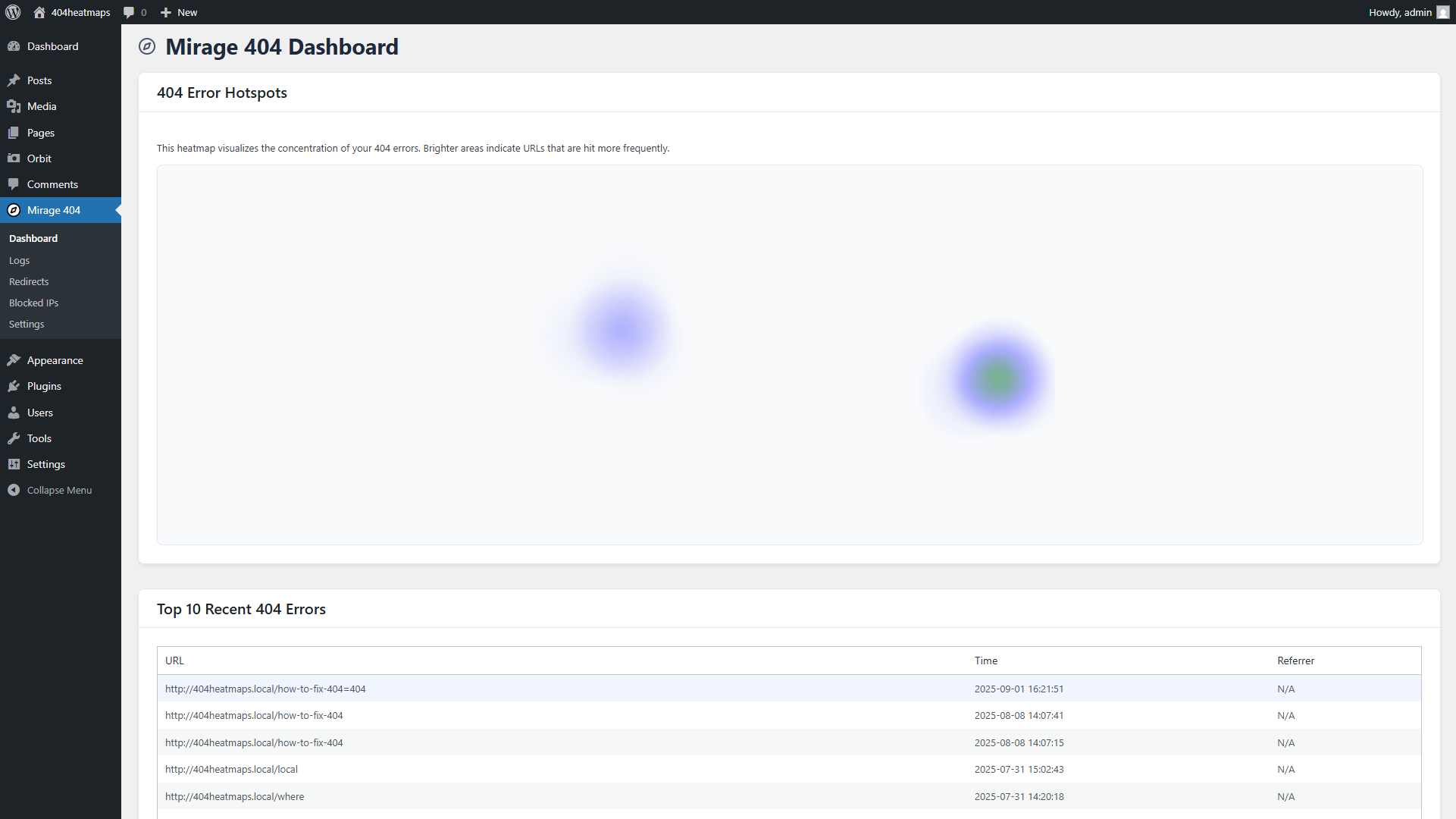
The dashboard is the heart of the plugin. It gives you an instant visual overview of your site's 404 errors, allowing you to see what's important at a glance.
- Color Intensity: Faint blue spots are low-traffic errors, while bright red "hotspots" are high-traffic errors that need immediate attention.
- Organic Patterns: The hotspots are rendered as organic, blended shapes, giving you an authentic feel for the data's concentration.
- Interactive Tooltips: Hover your mouse over any hotspot to reveal a card with the specific URL and the exact number of hits.
Detailed 404 Logs
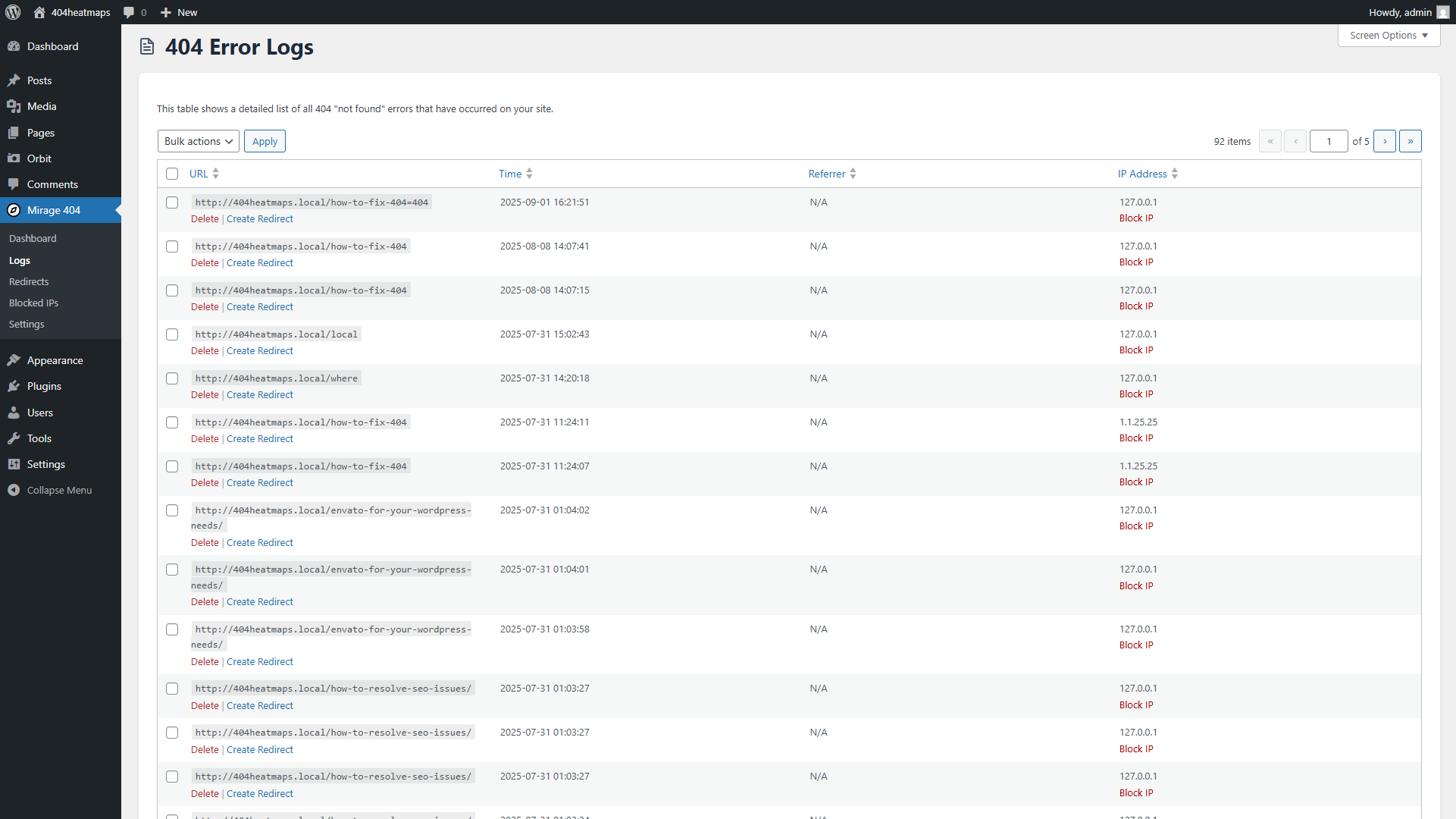
The Logs page is your command center for managing individual errors. It provides a detailed, sortable table of every 404 error the plugin has recorded.
- See All Data: View the full broken URL, the time of the error, the visitor's IP address, and the referring URL.
- Sortable Columns: Click on any column header to sort the data and easily find patterns or specific entries.
- Clean & Simple Interface: The log is designed for clarity, so you can quickly identify the information you need.
Frequently Asked Questions
Does this plugin slow down my site?
No. Mirage 404 is engineered to be lightweight and fast, with zero performance impact on your live site's front-end. All intensive processing and logging happen in the background, so your visitors will never be slowed down.
How does the heatmap work?
The heatmap analyzes all the 404 errors recorded in your logs. It groups identical URLs and plots them visually on the map. The more hits a specific URL has, the "hotter" (brighter and redder) the spot becomes.
Can I clear the logs?
Yes. In the free version, you can delete logs individually or in bulk from the Logs page. The Pro version adds a one-click "Clear All Logs" button for convenience.
Unlock More Power with Mirage 404 Pro!
The free version helps you find problems. The Pro add-on helps you fix them instantly and protect your site.
- Full Redirect Manager: Fix broken links with one-click 301/302 redirects.
- One-Click IP Blocker: Protect your site by blocking malicious bots and scanners.
- Proactive Email Alerts: Get notified about high-priority 404 errors automatically.
- And much more!
Support
Support for the free version of Mirage 404 is handled exclusively through the public WordPress.org support forums. Please create a new topic there, and we will do our best to assist you.
For dedicated, one-on-one priority support, please consider upgrading to Pro.