
Build next-gen glass interfaces with the Builder Update.
A liquid glass UI kit for modern websites, dashboards, app-style interfaces, and experimental layouts. Version 2.0 adds the Liquid Builder, live code generation, cleaner snippets, Tailwind workflow support, and a bonus Liquid Gooey Menu.
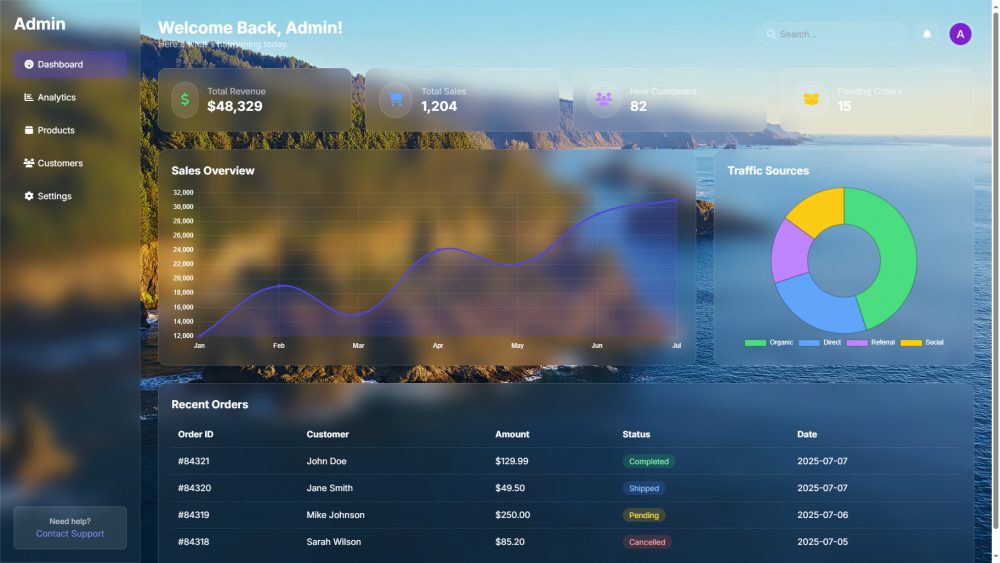
Stop guessing the glass effect. Tune it visually.
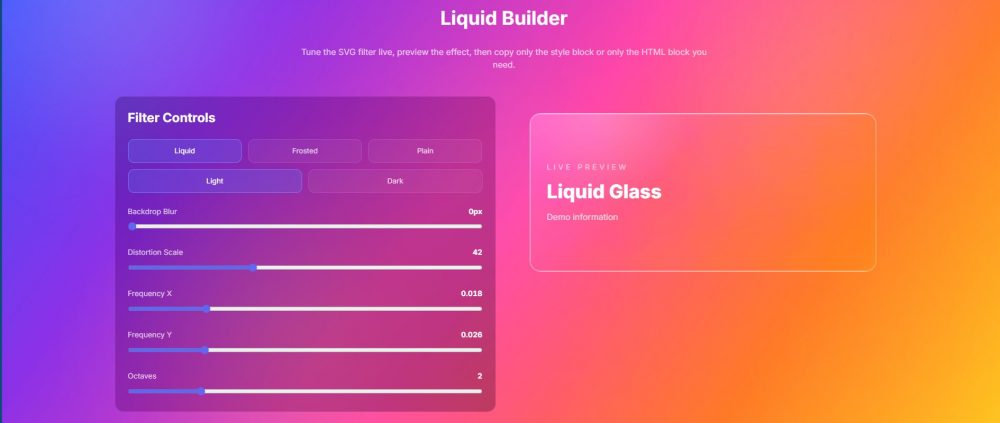
Version 2.0 turns the kit from a collection of effects into a builder-friendly workflow. Adjust the Liquid Builder, copy the style code, copy the SVG filter block, and reuse the exact look inside your own project.
Interactive Liquid Builder
Dial in blur, distortion scale, frequency, and octaves directly inside the kit before copying the generated output.
Live code generation
Generate separate copy-ready blocks for style code and the required HTML/SVG filter block.
Light and dark modes
Use clear translucent glass in lighter scenes or darker pro-style panels for dashboards and app layouts.
Zero-dependency snippets
Copy the actual component you need instead of dragging unrelated layout code into your build.
Tailwind liquid classes
Use a cleaner plugin/config workflow with reusable utility-style classes for liquid and frosted glass scenes.
Liquid Gooey Menu
Bonus experimental component for organic floating menus, quick actions, dashboards, and playful navigation.
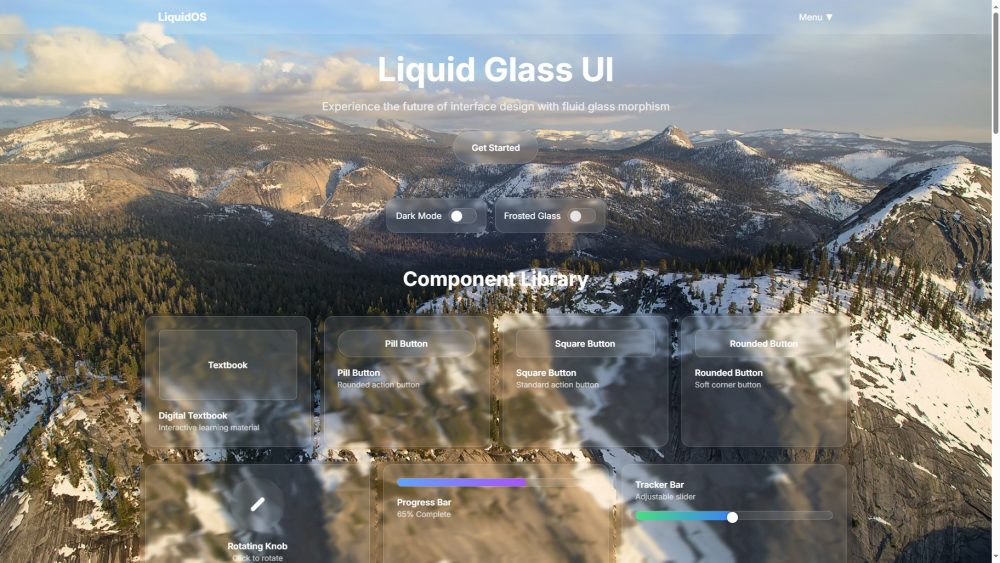
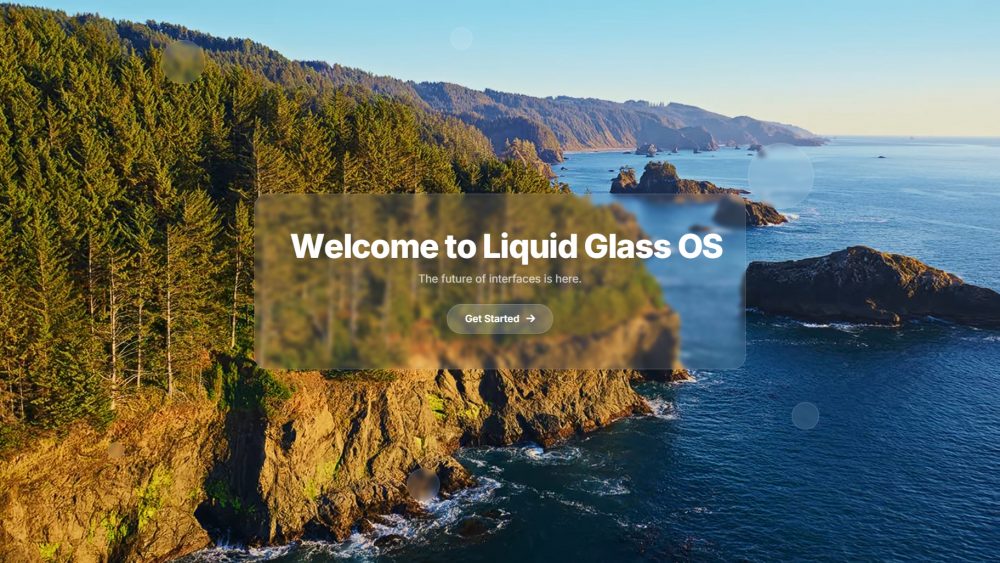
Glass UI screenshots that show the kit in motion.
Use the included demos as full-page starting points or copy smaller components into an existing build.
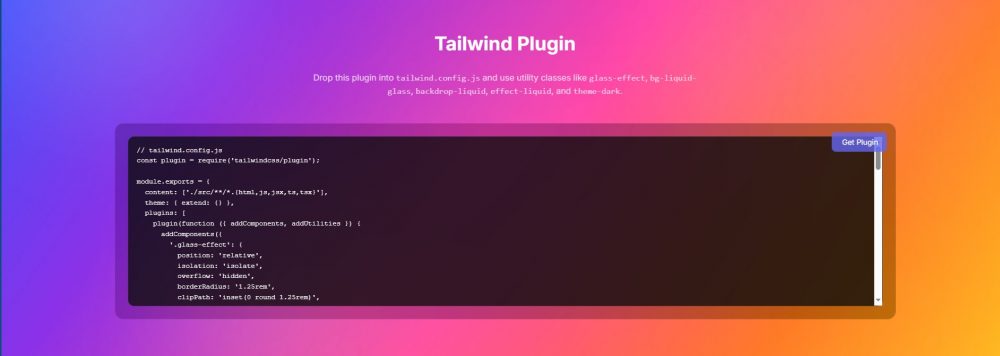
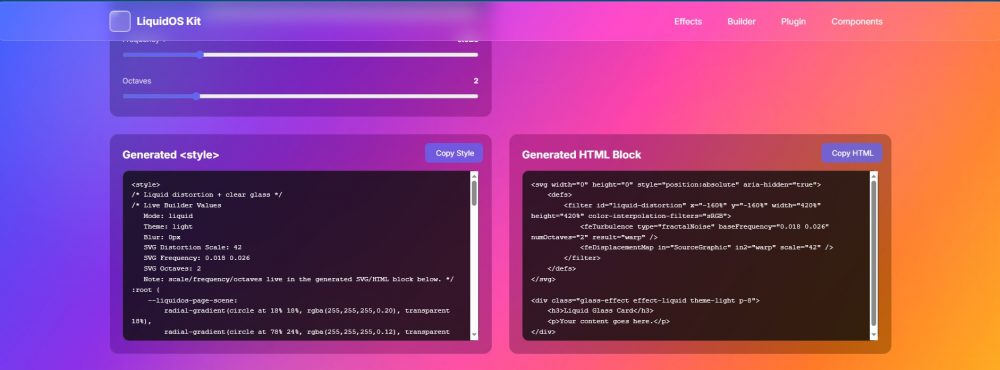
More workflow. Less code hunting.
Earlier versions expanded the look of the kit with frosted glass, liquid distortion, organic metaballs, demos, and iOS-style interface ideas. Version 2.0 focuses on making it faster to actually use.
- Copy cleaner snippets without grabbing a full demo page.
- Separate background color, glass transparency, and SVG distortion properly.
- Use light and dark variants for different interface moods.
- Experiment with the Liquid Gooey Menu for more organic UI motion.
One download. A complete glass workflow.
Get the Liquid Glass OS UI Kit v2.0 with the Builder Update, component snippets, Tailwind workflow support, demos, and the Liquid Gooey Menu bonus component.
Liquid Glass OS UI Kit v2.0
Digital UI kit for HTML/CSS, Tailwind-based websites, dashboards, app-style interfaces, landing pages, and experimental UI concepts.
Buy NowWhat is new in v2.0?
The Liquid Builder, live SVG filter controls, generated copy blocks, Tailwind plugin/config workflow, improved light and dark handling, and the Liquid Gooey Menu bonus.
Is this only for Tailwind?
No. It includes copy-ready HTML/CSS snippets and demo pages. The Tailwind plugin/config path is an added workflow option.
Where would I use it?
Landing pages, SaaS dashboards, portfolio sites, app prototypes, iOS-inspired interfaces, experimental components, and creative front-end builds.
Design liquid glass interfaces without starting from zero.
Tune the effect, copy cleaner snippets, use the builder workflow, and ship glass-inspired components faster.